An automated utility designed to convert raw Synchro .txt output files into clean, structured Level of Service (LOS) tables ready for use in professional traffic engineering reports.

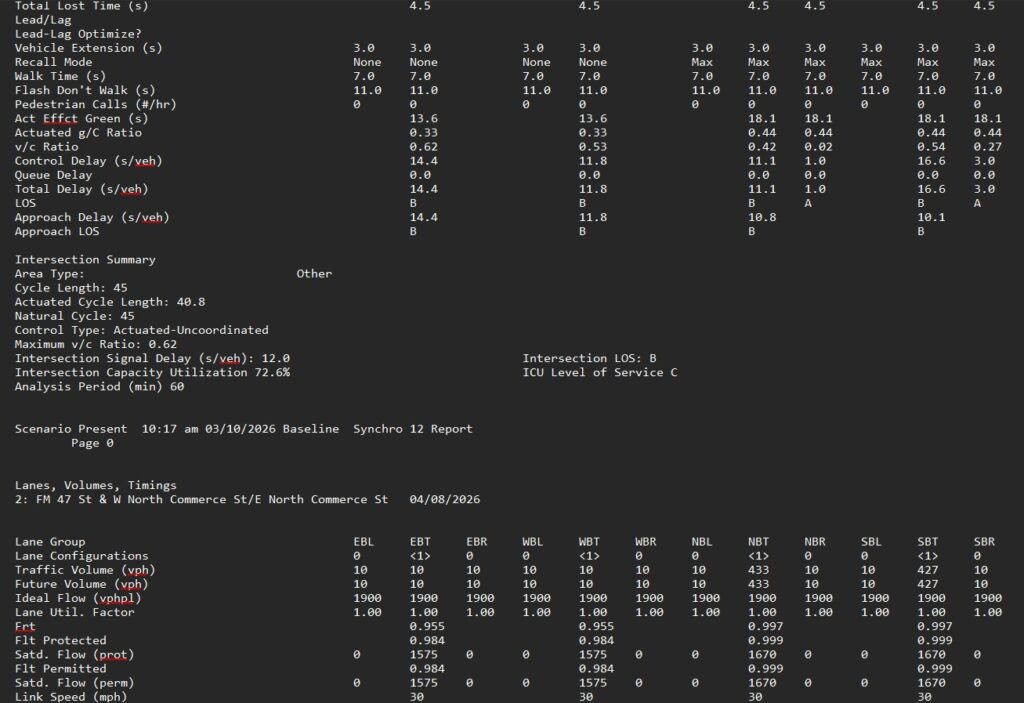
This tool is designed to streamline a routine but time-consuming step in traffic engineering workflows, extracting key performance measures from Synchro outputs and organizing them into a format ready for use in Traffic Impact Studies and related reports.
Synchro txt to Table Conversion
Access to this tool requires a valid license. Click below to purchase and get started.
Overview
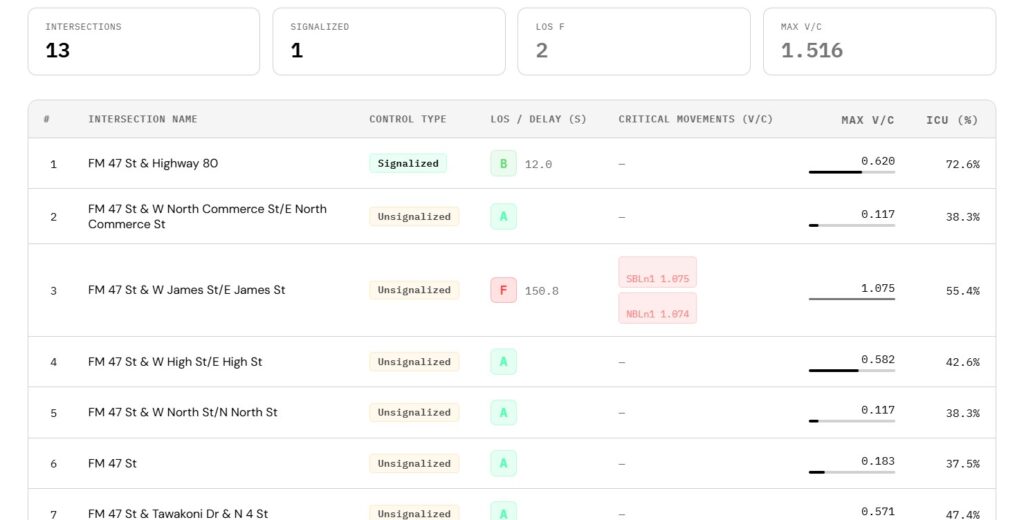
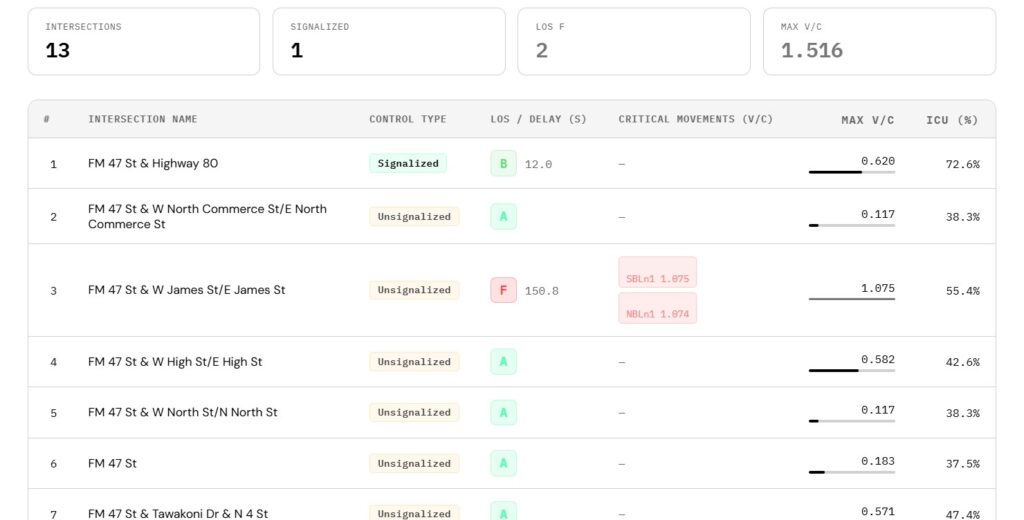
This tool converts Synchro .txt reports into structured, report-ready tables that summarize intersection performance across a network. Rather than reviewing each intersection individually, the output provides a consolidated view that supports both report preparation and quick identification of critical conditions.
What It Does
Upload a Synchro .txt file and the tool will extract and organize key performance measures into a clean, structured table. The output allows users to quickly review:
- Level of Service (LOS) by movement and intersection
- Volume-to-Capacity (V/C) ratios
- ICU (where applicable)
- Performance across Signalized, TWSC, AWSC, and Roundabout control types
Tables are organized by Node ID and intersection name (derived from the link names), making them easy to reference within larger models.
Key Features
- Automatic extraction of LOS, V/C ratios, delay, and ICU
- Color-coded LOS values for quick visual interpretation
- Identification of critical V/C ratios based on user-defined thresholds
- Supports Signalized, TWSC, AWSC, and Roundabout intersections
- Clean, structured output ready for Word or Excel
- Simple drag-and-drop
.txtfile upload - Designed for unlimited use
Advantages in Practice
The tool is designed not only for reporting, but to support the broader analysis workflow. By consolidating results into a single table with visual cues and thresholds, it enables:
- Faster identification of critical or failing intersections
- Quick screening of problematic movements
- Efficient review of large Synchro networks
- Reduced time spent manually extracting and formatting results
This makes it useful both during detailed reporting and for rapid internal checks during analysis. The generated tables are suitable for:
- Traffic Impact Studies (TIS)
- Planning and operational assessments
- Technical memoranda
How to Use the Synchro Formatter
- Run your analysis in Synchro
- Generate and export the .txt report file
- Drag and drop the file into the tool
- Instantly receive a formatted LOS table ready for reporting
No formatting, no manual copying, no Excel cleanup required.
Watch the full explainer here.
Who This Tool Is For
This tool is designed for Synchro users:
- Traffic engineers
- Transportation planners
- Consultants preparing Traffic Impact Studies (TIS/TIA)
- Analysts working with multiple Synchro models
- Anyone performing intersection performance evaluation at scale
Check out other Traffic Engineering Tools by Arterials
Have questions about this tool? Email us at support@arterials.co