In engineering, planning, and infrastructure consulting, PDFs are a primary working format. Traffic impact studies, drawings, markups, review comments, and agency redlines are all typically exchanged, reviewed, and approved in PDF form.
Yet many firms still rely on generic tools like Adobe Acrobat for highly technical review work.
This article compares Bluebeam Revu, Adobe Acrobat, and other common PDF tools specifically from the perspective of engineers, transportation planners, and infrastructure consultants. not general office users.
Why PDF tools matter in engineering & planning
For technical disciplines like transportation planning and civil engineering, PDFs are not just documents. They are:
- Digital plan sets
- Review platforms for agencies and stakeholders
- Audit records for approvals
- Marked-up design coordination tools
A good PDF tool directly affects:
- Review speed
- Error rates
- Coordination quality
- Approval timelines
Bluebeam Revu: Built for engineers
Bluebeam Revu is purpose-built for technical professionals. It shows.
Key strengths
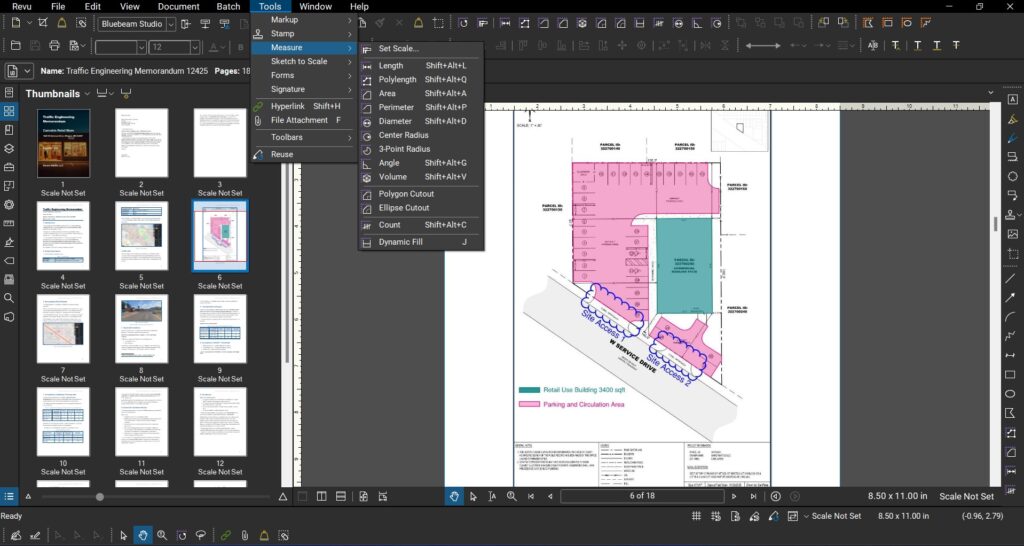
1. Scaled measurements
Measure distances, areas, and quantities directly from drawings using calibrated scales. Essential for:
- Lane widths
- ROW checks
- Parking counts
- Turning radii
- Calculating Surface Areas and Perimeters
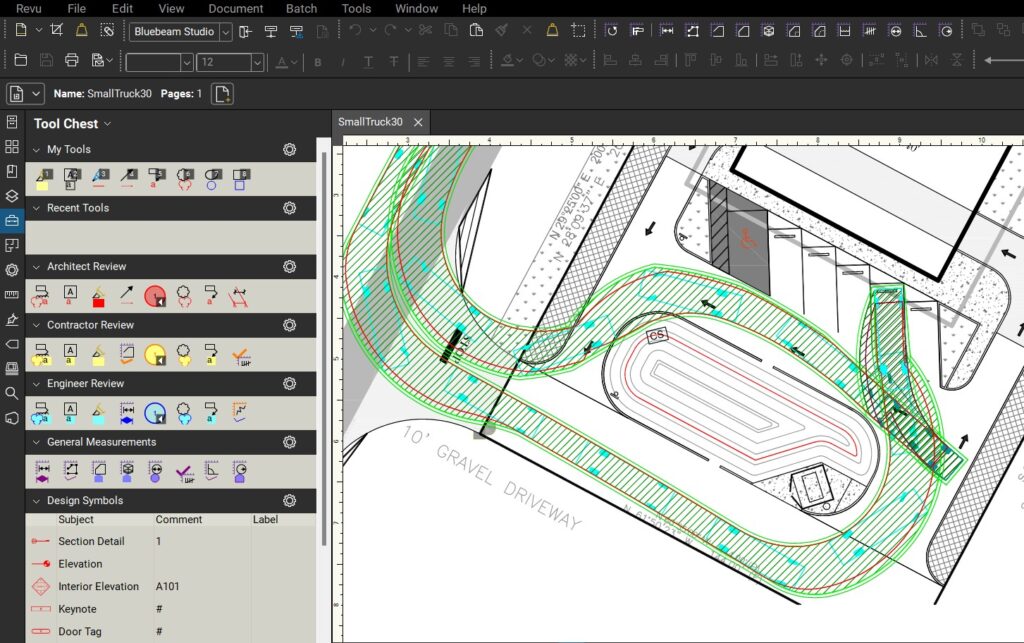
2. Advanced markup & takeoff tools
- Custom tool sets
- Count tools
- Ability to Toggle layers On/Off if the CAD drawing was exported cleanly
- Line, area, and volume takeoffs
3. Studio Sessions (real-time collaboration)
Multiple reviewers can mark up the same PDF simultaneously. This is extremely useful for:
- Internal QA/QC
- Multi-agency review cycles
- Distributed teams
4. Markup lists & audit trails
Every comment is tracked, sortable, and exportable. Great for:
- Agency responses
- Comment resolution matrices
- Approval documentation
5. Industry adoption
Bluebeam is widely used by:
- Engineering consultancies
- DOTs
- Municipal planning departments
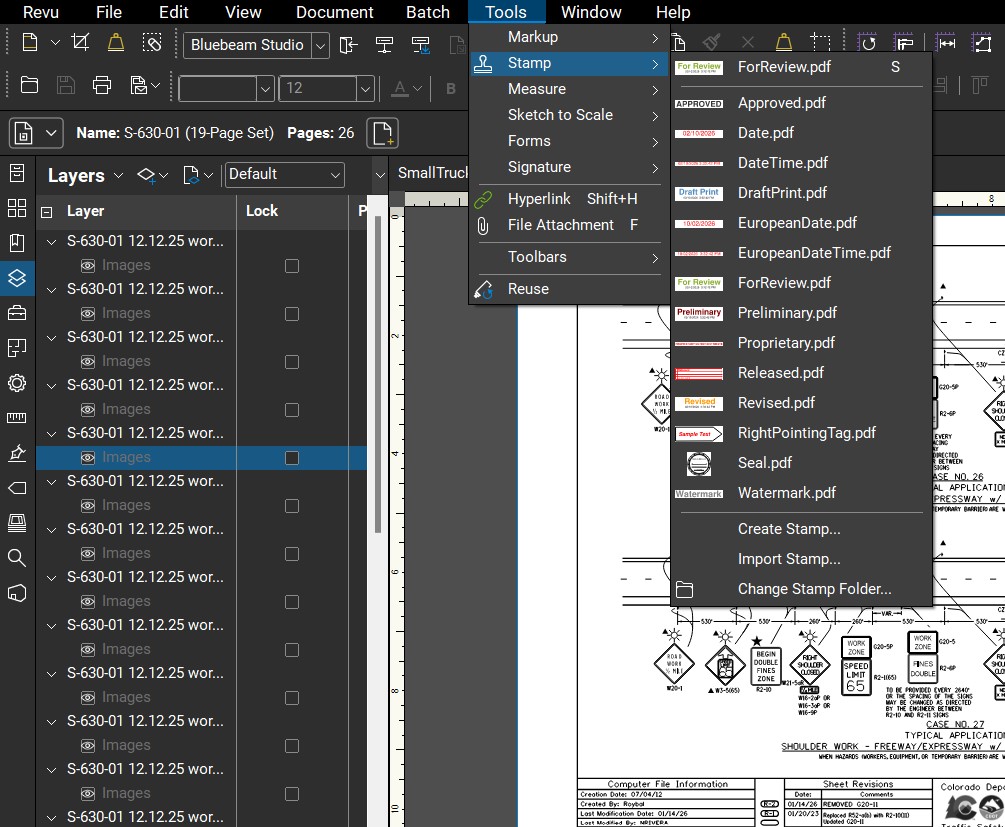
When agencies review plans in Bluebeam, compatibility matters. All the above plus the general editing tools like edit text, add / remove images, stamping, signing, page management, exporting to JPEG, TIFF or other formats, File size reduction, and Flattening and securing the document to make it really uneditable are only some of the general editing features of BlueBeam.
Adobe Acrobat: General-purpose, not engineering-focused
Adobe Acrobat is everywhere but that doesn’t mean it’s ideal.
Where Adobe works
- Basic text edits
- Simple comments
- Form filling
- Document signing
- Overal lightweight software that just works.
Where it falls short for engineers
- Limited measurement accuracy
- Weak takeoff tools
- No real engineering workflow support
- Poor handling of large plan sets
- Collaboration features are document-centric, not review-centric
Adobe is fine for documents. Engineering work is more than documents.
Other PDF tools (Foxit, Nitro, etc.)
There are several widely used alternatives to Adobe Acrobat, including Foxit and Nitro. These tools are common across both private and public sector organizations and are often effective for general PDF editing and annotation.
Typical considerations for engineering workflows
- Measurement and scale tools may require additional setup or careful validation on technical drawings
- Markup and comment tracking is generally adequate for individual review, but less structured for large, multi-reviewer workflows
- Coordination and audit-trail features are more limited compared to tools designed specifically for engineering review
- Agency familiarity and standardization can vary by jurisdiction
For many day-to-day tasks, these tools perform well. However, on complex infrastructure projects with multi-party reviews and formal approval requirements, firms often prefer platforms with more specialized engineering coordination features.
Feature comparison (engineer-focused)
| Feature | Bluebeam | Adobe Acrobat | Other Tools |
|---|---|---|---|
| Scaled measurements | ✅ Excellent | ⚠️ Basic | ❌ Inconsistent |
| Quantity takeoffs | ✅ Yes | ❌ No | ⚠️ Limited |
| Markup tracking | ✅ Robust | ⚠️ Basic | ⚠️ Varies |
| Multi-user live review | ✅ Studio | ❌ No | ❌ Rare |
| Agency familiarity | ✅ High | ✅ High | ⚠️ Varies |
Why this matters for transportation planning
Transportation planning and traffic engineering workflows rely heavily on:
- Intersection drawings
- Turning templates
- Lane configuration checks
- Parking supply reviews
- Access management plans
- Signal timing sheets
Bluebeam aligns naturally with these tasks, especially when coordinating between:
- Consultants
- Developers
- Municipal reviewers
- DOT staff
Arterials uses Bluebeam for PDF Editing and Markup
At Arterials, Bluebeam is a core part of our workflow for:
- Traffic Impact Studies (TIA/TIS)
- Site access reviews
- Intersection layout checks
- Parking and circulation analysis
- Agency comment response coordination
It reduces review cycles, improves clarity, and creates cleaner approval records, which ultimately saves clients time and money.
Final verdict
If your work involves engineering drawings, transportation studies, or infrastructure planning, Bluebeam is not just a PDF editor. it’s a technical review platform.
Adobe Acrobat remains useful for general document handling, but it was never designed for the realities of engineering coordination.
For professional planning and engineering work, Bluebeam is the clear choice.
Looking for professional transportation planning or traffic engineering support?
Visit Arterials.co or explore our technical resources and tools for infrastructure professionals.